Your AI-built tool
A localhost address does not work on your friend’s computer.
Send an interactive page, so they can actually try it.
Made on your Mac. Seen by someone else.
Your AI-built page, a client proposal, a work in progress. We want to turn “it only opens on my computer” into a link you can share.
Mac first. The simpler sharing flow is in development.
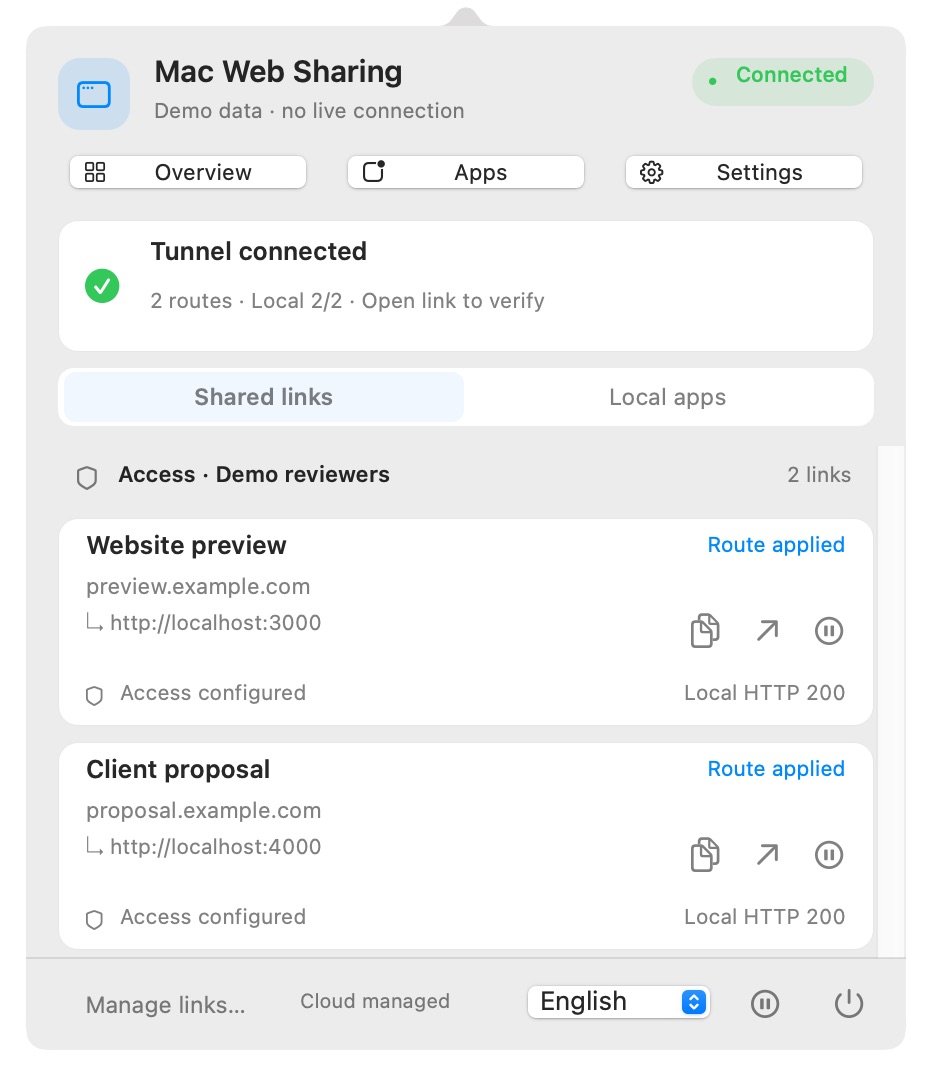
The Mac app
Quick actions in the menu bar. A full console when you want the details.
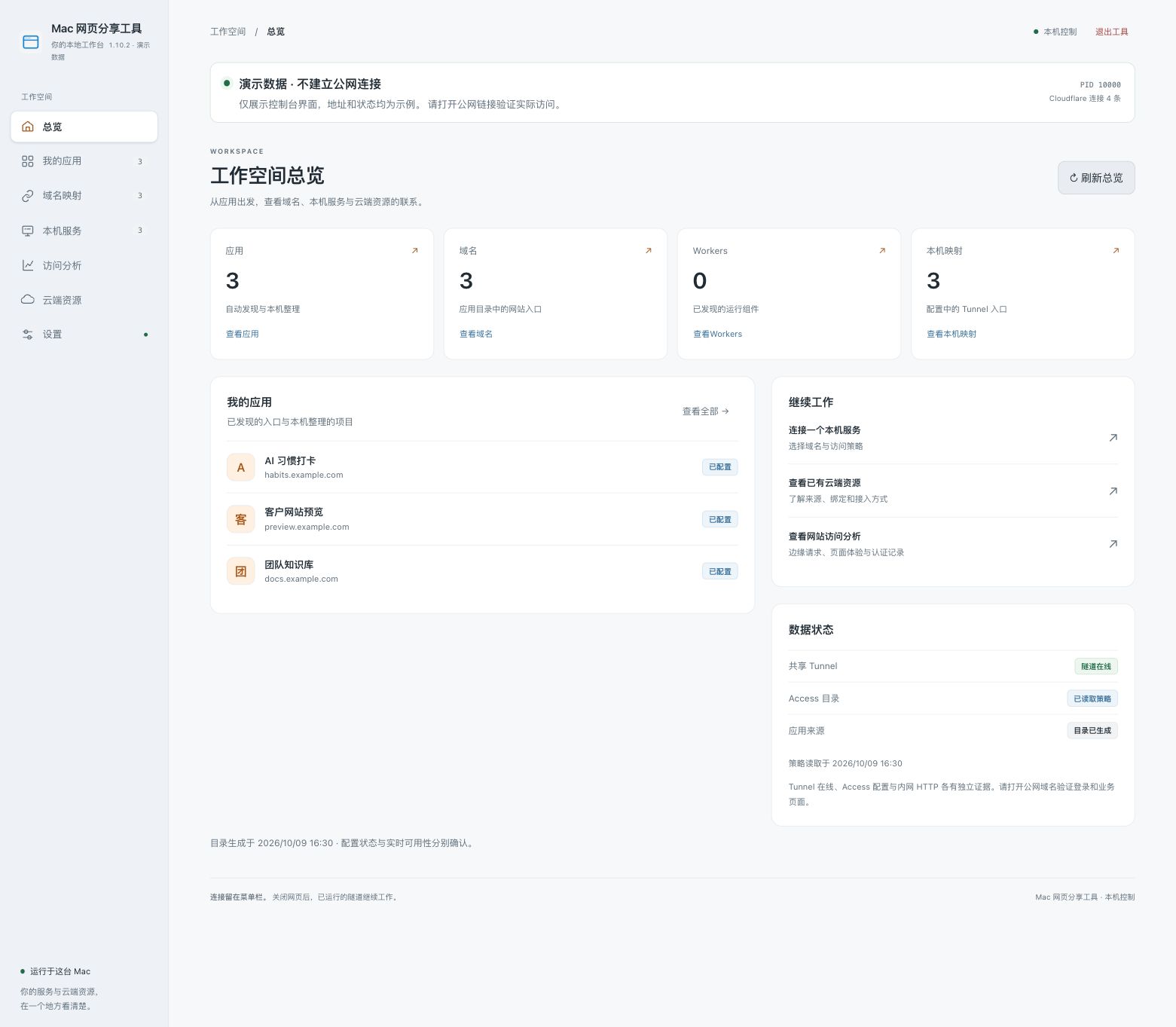 Enlarge image ↗
See your projects and connection status, then open the details.
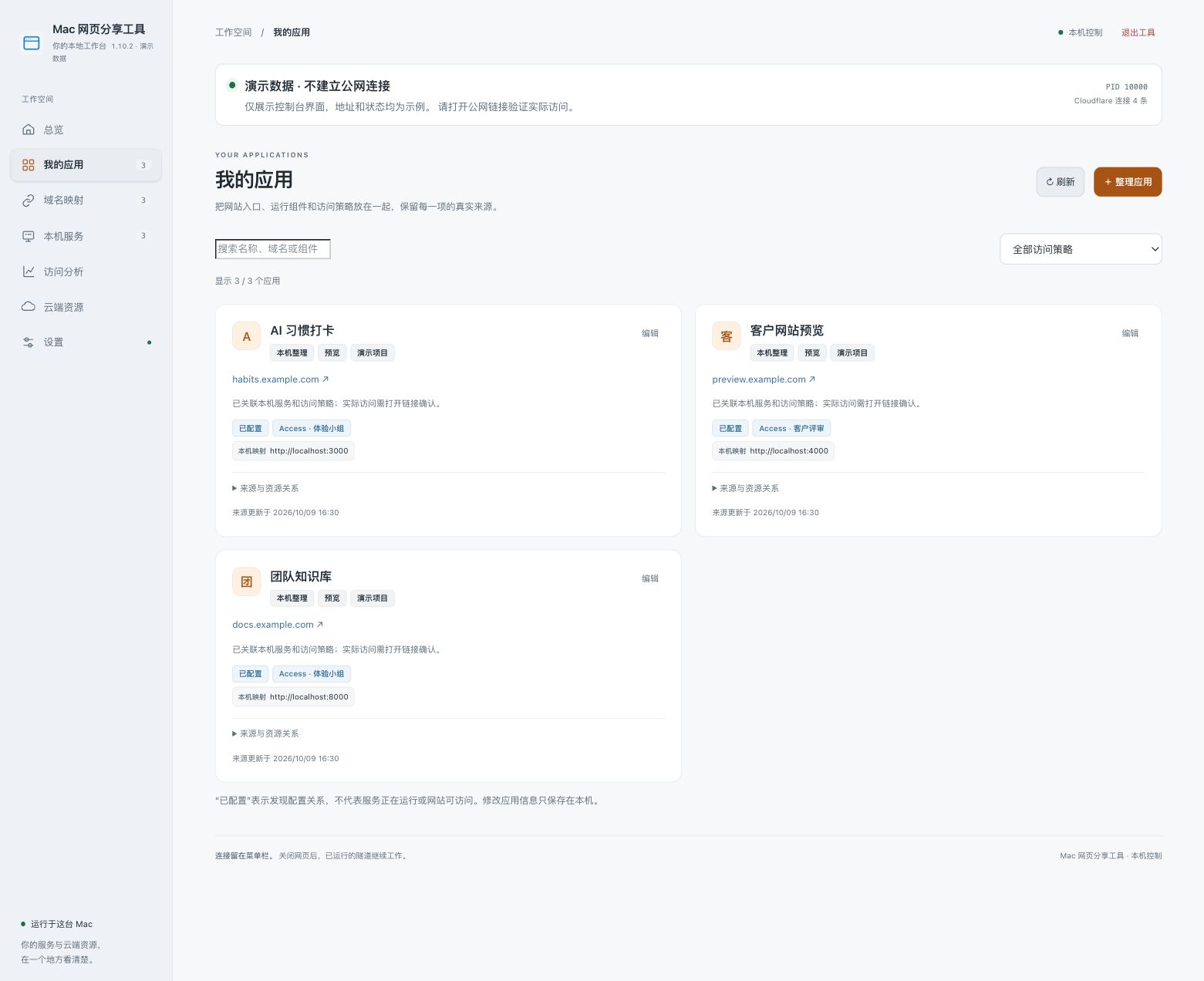 Enlarge image ↗
Keep the website, local service and access policy together.
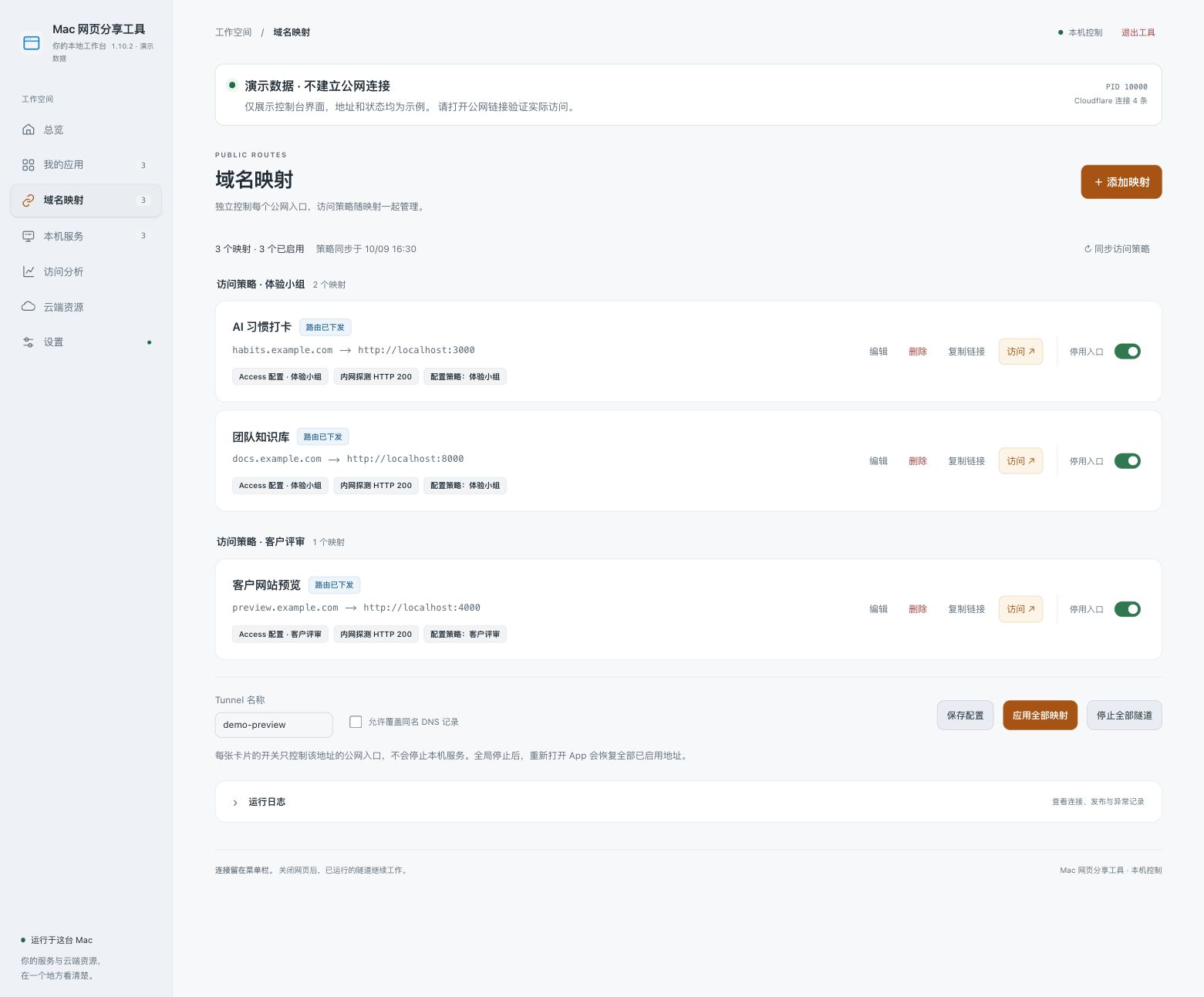 Enlarge image ↗
Review access policies, copy links and pause each shared entry separately.
Actual console with public-safe demo data and no live connections. The console is currently in Chinese.
01 — Use cases
You should not need to learn hosting just to let someone try your work.
A localhost address does not work on your friend’s computer.
Send an interactive page, so they can actually try it.
Screenshots miss the details. Deploying every draft takes time.
Show the site as you work on it, then adjust it together.
The project is not live yet. You still need feedback.
Invite a few people to try it, then stop sharing when done.
02 — See how sharing works
Planned beginner flow · The current app still requires a Cloudflare® account and domain configuration.
Open the getting-started guide →Choose a website already running on your Mac. Enter its address only if needed.
Set the audience before sharing. Private content should not become public by default.
Your recipient opens it in a browser. Stop sharing any time. Keep your Mac online and running.
Not yet. The current Mac tool manages configured shared links. Beginner sharing, standalone installation and a public release are still being prepared.
The current app requires a Cloudflare account, domain and configuration. We are evaluating temporary links without your own domain; we are not promising setup-free sharing yet.
No. Your Mac, local web server and internet connection must stay on. Use hosting for a permanently available website.
The website and native Mac panel support Simplified Chinese, English and Japanese. The advanced web workspace is still primarily Chinese. Pricing and licensing are undecided.
Get one practical next step. Follow an official guide when you need more detail.
Open the getting-started guide ↗Know someone who built a website but cannot easily show it to others? Send them this preview of a Mac sharing tool.
https://share.yangluotong.top/en/